
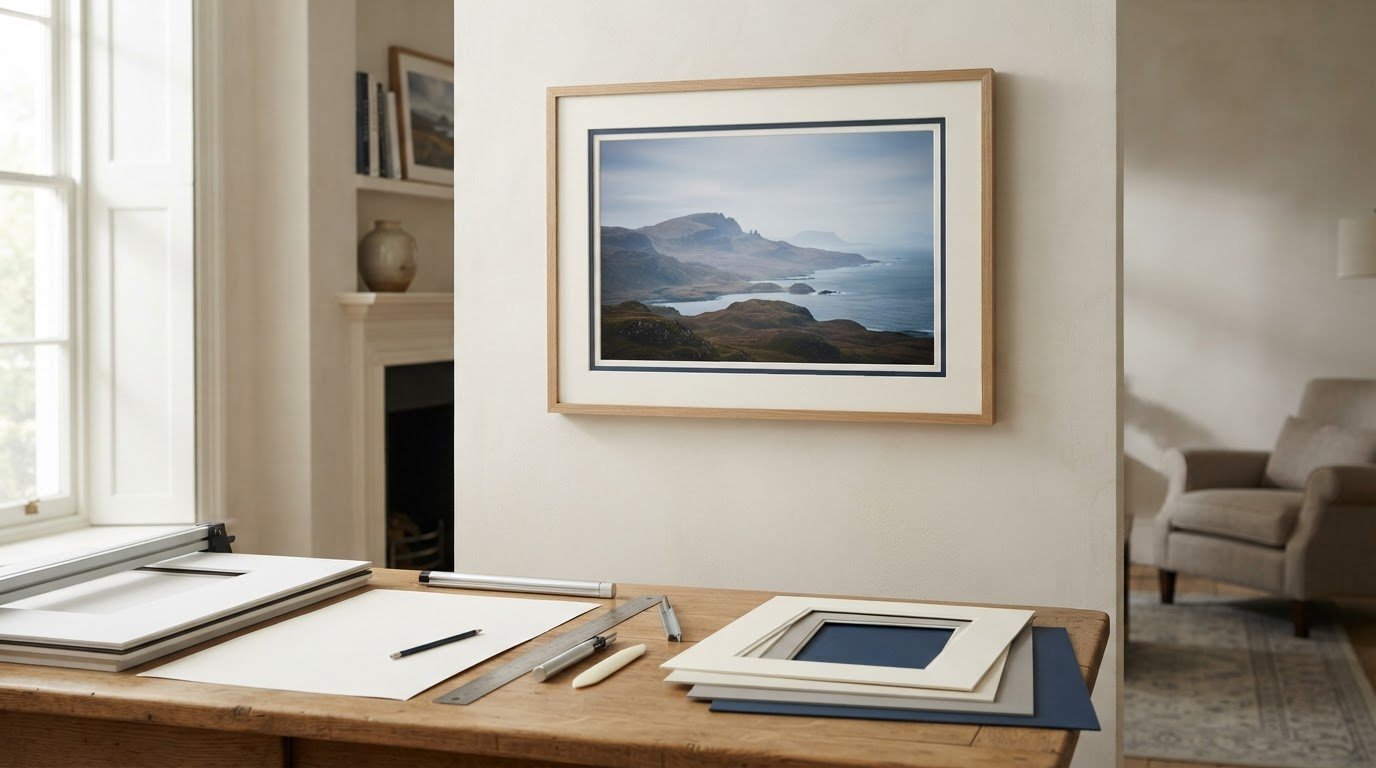
A mount border of 30-60 mm is a useful starting point for many pictures. Choose a single mount for a clean finish or a double mount for extra depth and colour. The right width depends on the artwork’s proportions and the frame you have in mind.
With online picture framing, you can choose a frame and plan how the finished artwork will look around the image. Custom framing gives art prints and other pictures a considered finish. Explore fine art, contemporary prints and photography, including coastal, landscape and Scottish landscape art. A wall art visualiser can help you preview a piece before buying and imagine how it might look at home. Browsing artists and their work can also help you find a style that suits your space.
Next, learn which dimensions to measure, how to position the aperture around the artwork, and how to size the mount’s outer edge to fit the frame. These steps make it easier to plan a framed print or choose framed wall art with confidence.
Key Takeaways
- Use the glass or backing board dimensions to establish the mount’s outer size, and measure the artwork itself carefully before setting the aperture.
- Choose a single mount for a simple finish or a double mount when an extra edge of colour and depth will suit the artwork.
- Balance the border against the image and frame; a wider border can give a piece more presence, while a weighted bottom can help it look centred.
- Plan the finished mount’s external dimensions to fit the frame, rather than assuming the artwork size determines the frame size.
Should I Measure the Internal Frame or the Glass?
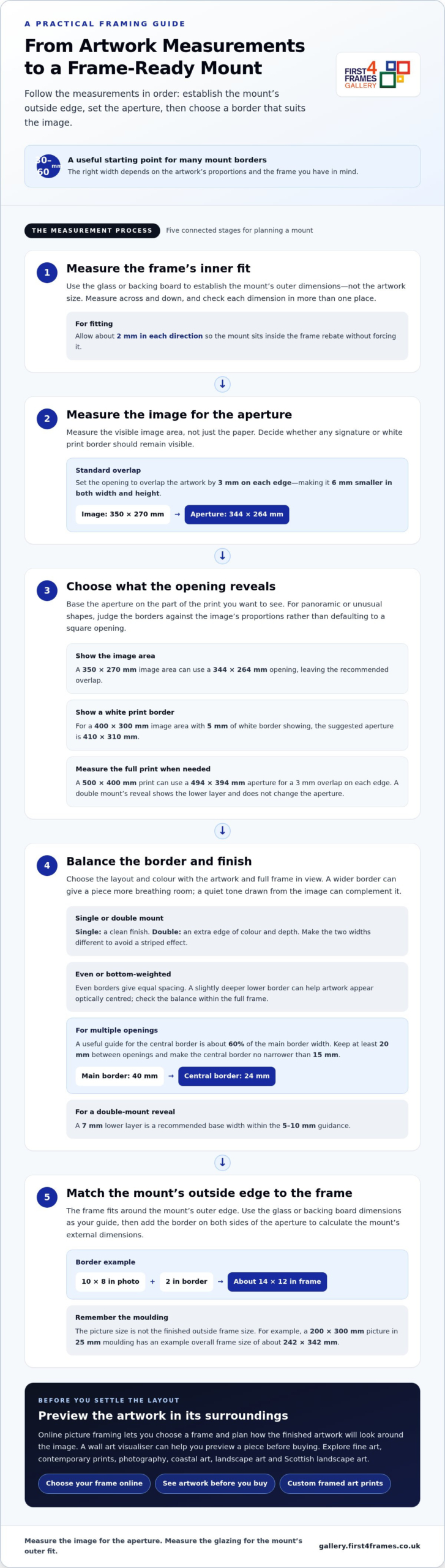
For a secure fit, measure the glass or hardboard inside the frame, not just its internal dimensions. A practical guide to how to decide on a mount width starts with this outer measurement and the artwork’s visible image size. Set the aperture to overlap the artwork by 3 mm on each edge, making it 6 mm smaller in both width and height.
For panoramic or unusually shaped artwork, judge the borders against the image’s proportions rather than defaulting to a square opening. Keep the mount balanced around the image, then check that its outer dimensions suit the frame.
Watch this framing guide for a visual explanation of how to choose a mount:
- Measure the glazing and frame rebate. Remove the glass and backing board, then measure across and down. Check each dimension in more than one place because paper may not be perfectly square. The rebate usually overlaps the picture by about 5 mm on each side and is typically 3 mm larger than the glass size.
- Set the aperture using the image, not the paper. To understand how to decide on a mount width for a particular print, measure the image area and account for any signature below it. For a 350 mm × 270 mm image, a suitable opening is 344 mm × 264 mm. A 10 × 8 inch photo typically has a 9.75 × 7.75 inch window.
- Choose what the opening should reveal. For larger prints, subtract 10 mm from each image dimension to create 5 mm overlap on each side. To show a print’s white border, measure the full print: a 500 mm × 400 mm print needs a 494 mm × 394 mm aperture. A double mount’s reveal shows the lower layer and doesn’t change the aperture.
- Select a complementary finish. A wider mount gives artwork more breathing room, while a quiet colour drawn from the image can complement it. For valuable or sentimental prints, acid-free mount board and backing help reduce the risk of yellowing or acid damage over time.
How Do I Choose the Border Width?
Set the border after considering the image shape, frame and number of openings. Then choose an even or weighted layout and check that the aperture reveals the intended part of the artwork.
-
Balance Even and Bottom-Weighted Borders
Choose an even border for equal spacing around the image. For a bottom-weighted mount, make the lower border slightly deeper than the top and sides; this can help the artwork appear optically centred. Compare both layouts within the full frame, not just around the aperture, and avoid extra weight if it makes the picture feel too low.
-
Select Mount Width and Colour
Choose a border that gives the artwork breathing room without overwhelming it. Wider borders can create a gallery-style finish and add presence, particularly around a larger frame. A mount colour drawn from a quiet tone in the image, such as soft off-white or cream, can work with many styles of artwork. Compare it beside the print, because surrounding colours can affect how the mount appears.
- Set the central border for multiple openings. In a multiframe mount, keep the central border narrower than the main borders to avoid a striped effect. A useful guide is about 60% of the main mount width, with at least 20 mm between openings. For example, a 40 mm main border pairs proportionately with a 24 mm central border. Keep it no narrower than 15 mm.
- Check the aperture and reveal. Base the opening on the image area you want visible, then consider whether any white print border should remain in view. For a 400 mm × 300 mm image area with 5 mm of white border showing, the suggested aperture is 410 mm × 310 mm. For a double mount, make the two widths different to avoid striping; a 7 mm lower layer is a recommended base width, within the 5-10 mm guidance. Browse framed artwork in the gallery to compare how border proportions frame different images.
How Do I Measure the External Mount Size?
Measure the glass or backing board to establish the mount’s outer dimensions. The frame fits around that outer edge, not just the picture.
-
Measure the Picture and Frame
Start by measuring the picture’s visible image, then measure the glass or backing board across and down. These measurements serve different purposes: the image guides the aperture, while the glass or board helps establish the mount’s outer dimensions. Use millimetres for precision and note the width before the height. Measure the paper in more than one place, as it may not be perfectly square.
-
Account for Frame Moulding and Overall Dimensions
Measure the frame’s visible opening separately from its outside edges. Moulding adds to the overall frame dimensions, so don’t treat the picture size as the finished frame size. For example, a 200 × 300 mm picture in 25 mm moulding has an example overall frame size of about 242 × 342 mm. A 25 mm moulding overlapping the picture by 5 mm extends 20 mm beyond it on each side.
-
Match the External Mount to the Frame
Use the glass or backing board dimensions as the guide for the mount’s outside edge, then allow about 2 mm in each direction for fitting. Check that the mount sits inside the frame rebate without forcing it. An A4 frame, for instance, can hold a mount with an aperture sized for a 7 × 5-inch photo, showing why frame size and picture size aren’t interchangeable.
-
Check How the Mount Affects Frame and Picture Size
Add the border on both sides of the aperture to calculate the mount’s external dimensions. A 10 × 8-inch photo with a 2-inch border needs a frame of about 14 × 12 inches. A double mount or acid-free backing adds thickness, so ensure the frame rebate can accommodate the complete stack. Ready-made frames suit standard sizes; made-to-measure frames can follow a chosen mount’s outer dimensions.
Standard picture mount border widths
Use standard widths only as a starting point. Judge the mount against the image and frame: the border should give the artwork space without making the opening feel cramped.
- Start with the common range. Mount border widths vary, so choose one that suits the image and frame. For many pieces, 2-3 inches is a useful starting range. These are guides, not fixed rules: compare the border with the visible image and the frame’s proportions before settling on a width.
- Scale the border to the picture. A small photo can sit comfortably within a 5-8 cm border, while a larger print may need more space to feel balanced. Consider the image’s visual weight too. A busy composition often benefits from a quieter margin, while a simple image can carry a broader border without losing focus.
- Check the full framing proportions. Picture the mount and frame together rather than judging the opening alone. A narrow border inside a broad frame can feel crowded; a wider mount can create a gallery-style finish and give the artwork more presence. Compare the proposed border on all four sides, then consider how the finished piece will look on the wall.
- Adapt standard widths to the image shape. A square photograph and a panoramic print may need different border proportions. Centre the opening on the visible image, then adjust the border to create a balanced overall shape. For a panoramic picture, an even border can keep the presentation clean, while a wider mount may help the long image hold its own within the frame.
- Choose by looking at real examples. Compare mount widths around different prints before deciding. Notice whether the border supports the image or draws attention away from it. Explore framed artwork in the gallery to see how artwork and framing proportions work together, then use the standard ranges as a practical starting point for your own picture.
First4Frames Gallery: Ready-to-Hang Framed Art
First4Frames Gallery offers Ready-to-Hang Framed Art with frames handmade to order from high-quality materials. Each frame is made for its individual order, with 2 mm float glass and expert mounting for a considered finish. If you have a particular picture, Custom Picture Framing lets you choose a frame to suit it; Giclée Fine Art Prints can be paired with a frame from the available range.
Explore the framing and artwork options to find a combination that feels right for your image and space. Browse the First4Frames Gallery to see framed art and choose a direction for your own piece.
When you’re ready, contact First4Frames Gallery to discuss your framing needs.
Give Your Artwork Room to Belong
A mount shapes the space around the image and influences how the artwork sits in a room. Knowing how to decide on a mount width gives you a practical starting point, but the final choice should feel in harmony with both the picture and its intended setting.
Before choosing a finish, picture the framed piece in its intended setting. Consider nearby colours, available wall space and whether you want the artwork to blend in or become a focal point. A paper outline at the intended outer dimensions can help you judge its presence before you decide.
When you’re ready to explore artwork and framing options, browse the First4Frames Gallery. Let your chosen image guide the details, and create a presentation that feels right at home on your wall.
Frequently Asked Questions
Single or double mount?
Choose a single mount when you want the image to remain the main focus, especially with detailed artwork. A double mount can add a second tone that picks up a small accent in the image. For a coordinated display of several pictures, use the same mount treatment throughout so the frames feel connected, even when the artwork differs.
How wide should a mount be?
Let the image’s composition guide the visible margin. A portrait with a small signature beneath the image may need enough space to keep that detail visible, while a full-bleed print has no paper border to preserve. Sketch the proposed opening over a copy or outline of the artwork, then check that important details remain clear.
How wide should the border be?
Consider where the framed picture will hang before choosing its border. A piece displayed alongside other frames may look more cohesive with a similar treatment, while a standalone work can have a more individual presence. For a pair of prints, test the same border design around both images and adjust only if their compositions need different breathing room.
How do you choose the right mount width for a picture frame?
Start with the frame’s available space and the picture’s visible image, then make a paper template of the proposed mount. Place it over the artwork and view it from the distance where the picture will usually be seen. This helps show whether the opening cuts into an important feature or leaves an awkward sliver of the image.
What is the standard mount border width in the UK?
No single border width suits every picture. Common framing guidance provides a starting point, but the image’s shape, composition and display setting all affect the choice. For a group of photographs, consistent borders may matter more than finding a separate ideal width for each picture.
How wide should a picture mount be for different print sizes?
Choose the border based on the visible image and intended presentation, not the paper size alone. For a print with a white margin, decide whether to leave it visible or cover it with the mount. With a collection of different print sizes, matching the visual treatment can create unity while preserving each picture’s proportions.